Icon of program: BackupLife

BackupLife for Windows

  • Free
  • 3.8
    8
  • 18.5K
  • Vbackuplife-1.6.1
Free Download for Windows

View an ad to download for free

Basic online backup for everyday file protection

BackupLife is a lightweight cloud backup tool for Windows developed by BackupLife s.r.o. It’s designed to automatically save files to secure online storage, making it easier to recover data if something goes wrong. With version tracking and real-time sync, BackupLife suits users looking for a minimal, background-friendly solution to protect important personal or work files without complex setup.

Top Recommended Alternative

Simple cloud backup with file versioning

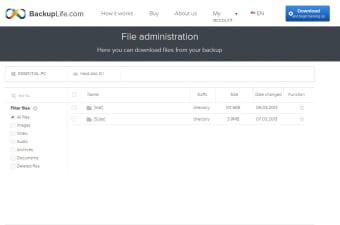
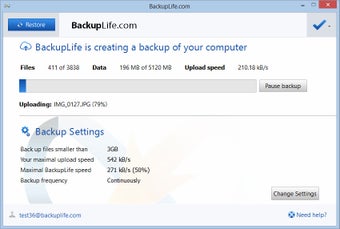
BackupLife automatically detects new or modified files and uploads them to secure online storage. This eliminates the need for manual backups and helps users keep important documents and media safe. It also stores multiple versions of files, making it possible to roll back to earlier copies if needed. The app runs quietly in the background, syncing changes without interfering with normal PC activities or requiring frequent user input.

The app is designed with simplicity in mind. After installation, BackupLife starts working right away—there’s no need to set schedules or configure complex rules. Its interface is clean and easy to understand, offering quick access to backup history and version recovery. Although it doesn’t include advanced features like full system imaging or offline backups, it performs reliably and remains a good option for users who want basic, automated file protection.

Final thoughts

BackupLife is a solid choice for users who want a simple, automatic way to back up their files online. It doesn’t aim to replace full-featured backup suites, but it succeeds at providing versioned cloud storage with minimal effort. For individuals or small teams who prioritize ease of use and basic protection, it’s a practical and reliable option.


  • Pros

    • Automatic cloud backup with no manual setup
    • Keeps previous versions of files
    • Works quietly in the background
    • Easy to install and use
  • Cons

    • Lacks support for local or full system backups
    • No integration with file explorer or external platforms
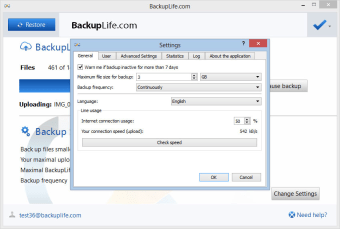
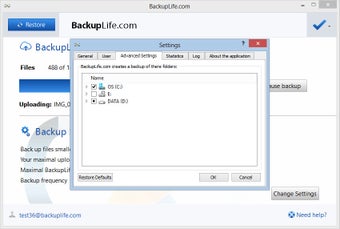
    • Limited configuration or scheduling options
 0/4

App specs

  • Developer

  • License

    Free

  • Version

    backuplife-1.6.1
  • Latest update

  • Platform

    Windows

  • OS

    Windows Vista

  • Language

    English

    Available languages

    • Czech
    • English
  • Downloads

    18.5K

    Last month's downloads

    • 2
  • Size

    8.13 MB

Program available in other languages


Icon of program: BackupLife

BackupLife for PC

  • Free
  • 3.8
    8
  • 18.5K
  • Vbackuplife-1.6.1
Free Download for PC

View an ad to download for free


User reviews about BackupLife

Have you tried BackupLife? Be the first to leave your opinion!

Add review

You may also like

Alternatives to BackupLife

Explore Apps

Latest articles

Laws concerning the use of this software vary from country to country. We do not encourage or condone the use of this program if it is in violation of these laws.
Softonic

Is BackupLife safe?

97/100

Score result: Clean

This file passed a comprehensive security scan using VirusTotal technology. It is safe to download.

  • Virus free
  • Spyware free
  • Malware free
  • Verified by Security Partners

    VirusTotal logo

Scan Info

Last scan
Saturday, December 23, 2023
Scan provider
VirusTotal · Full report

File Integrity

File
BackupLife_1.6.1.exe
SHA256
440e820ba0f5c5ed243cec4d14825bc20e099e770439f6026ba4cdc618009f0f
SHA1
7cfb4d129e0dbd2156d75c393b20f6e63cc5ac05

Softonic security commitment

BackupLife has been thoroughly scanned by our advanced security systems and verified by industry-leading partners. This file comes from the official developer and has passed all our security checks, showing no signs of viruses, malware, or spyware. For more information, visit our Security and Trust Center

Signed in to Softonic as